
TABLE OF CONTENTS
Amazon New Reimbursement Policy 2026
Why This Change Matters for Your Business
What Amazon Will NOT Automatically Reimburse
Types of Amazon FBA Seller Reimbursements
Amazon Lost Inventory Reimbursement
Amazon Reimbursement for Late Delivery
Amazon Reimbursement for Stolen Packages
Amazon Reimbursement for Price Drop
Amazon Reimbursement Shipping Costs
Amazon Reimbursement Report: What to Check
Amazon Receipt for Reimbursement (Proof Requirements)
How to Get Reimbursed from Amazon (Step-by-Step)
Step 1: Identify the Issue Using Amazon Reports
Step 2: Confirm the Issue Is Eligible
Step 3: Request Reimbursement in Seller Central
Step 4: Provide Documentation if Requested
Automatic vs Manual Reimbursements
How to Check Reimbursement in Amazon Seller Central
How Long Does It Take to Get Reimbursed from Amazon?
Best Amazon FBA Reimbursement Service Provider: What to Look For


Share via:
You might not know this, but there is a good chance you are owed money on Amazon right now.
When your inventory goes missing, when customer orders arrive late, or when packages get damaged in Amazon’s fulfillment network, Amazon is supposed to reimburse you. That system is called Amazon FBA (Fulfillment by Amazon) reimbursement, and in theory, it exists to protect sellers. However, in practice, many reimbursements are delayed, underpaid, or never issued at all.
In this guide, we will break down what Amazon reimbursement means, how the new reimbursement rules work in 2026, what Amazon will and will not pay you back for, and how to submit a proper Amazon reimbursement claim without wasting hours in Seller Central.
You will also learn how audits work and what to look for in an Amazon reimbursement report.
What is Amazon Reimbursement

Amazon reimbursement is money Amazon owes you for inventory that was lost, damaged, mishandled, delivered late, or returned incorrectly while in Amazon’s care. This applies only to issues Amazon is responsible for, not problems caused by suppliers or customer misuse.
For FBA (Fulfillment by Amazon) sellers, Amazon reimbursement usually happens when:
- Inventory is lost or damaged in an Amazon warehouse
- A customer receives a refund, but the item is never returned
- A package is marked as delivered late or not delivered at all
- Amazon disposes of or removes inventory incorrectly
Amazon automatically issues some reimbursements, but many cases require the seller to identify the issue and submit an Amazon reimbursement claim manually. This process can be quite stressful because before a reimbursement can be made, you need accurate data.
Inside Seller Central, Amazon provides an Amazon reimbursement report that shows adjustments, removals, lost inventory, and reimbursements already issued. Regularly reviewing this report helps you discover missing payouts and reimbursement gaps.
It is also important to understand that reimbursement is not the same as a refund. A refund is money given back to a customer. A reimbursement is money returned to you, the seller, because Amazon failed to handle your inventory correctly.
Whether you choose to handle the reimbursement process in-house or use an Amazon FBA reimbursement service, knowing how reimbursements work is one of the important parts of protecting your profit.
Amazon New Reimbursement Policy 2026

These policies affect how and when you can get reimbursed, what amounts you can expect, and which cases Amazon handles automatically versus those you need to track manually.
The Amazon new reimbursement policy puts more responsibility on sellers and shortens the margin for error. If you are not paying attention, it becomes much easier to miss claims and lose money.
So, basically, Amazon is doing three things. It is automatically reimbursing fewer cases, enforcing stricter deadlines, and changing how reimbursement values are calculated.
Why This Change Matters for Your Business
In the past, many sellers relied on Amazon to “catch” mistakes on their behalf. Lost inventory, damaged items, or incorrect returns were often reimbursed without much involvement.
But today, if you do not review reports, track timelines, and submit claims correctly, Amazon will not remind you. That means money that should be yours (for lost items, mishandled returns, or delivery problems) can slip right through your hands.
To file a valid Amazon reimbursement claim in 2026:
- The inventory issue must occur while the product is in Amazon’s control, or while moving to an FBA warehouse
- Amazon must have already reported the loss, damage, or error in your account or reports
- You must file within the specific timelines for each claim type (see below)
Amazon generally expects you to know your numbers and file if automatic reimbursements haven’t been issued. That’s why you should run regular Amazon reimbursement audits to catch missing reimbursements before the deadlines expire.
Claim Windows by Type
Each type of issue has its own claim window, and Amazon is strict about enforcing them:
- Fulfillment Center Lost/Damaged Inventory: You must file a claim within 60 days of the loss being reported in Seller Central
- Customer Return Issues: You can submit a claim between 60 and 120 days after the refund or replacement was issued
- Removal Shipment Lost in Transit: If inventory is lost during removal to you, claims are due between 15–75 days from the date the removal order was created
- Other Removal Claims: Claims for other removal errors must be filed within 60 days after the shipment is delivered back to you
If a claim is submitted outside these windows, Amazon will deny it, even if you are clearly owed money.
What Amazon Will NOT Automatically Reimburse
Amazon proactively reimburses some lost and damaged inventory, but many cases still require manual action. These include:
- Removal issues, like inventory lost in transit back to you, are not reimbursed automatically
- Return problems where the system didn’t flag an error must be found and filed by you
Also, situations that require detailed proof, such as replacing a customer-returned item that never arrived, will usually require a manual reimbursement claim with documentation from your side.
Types of Amazon FBA Seller Reimbursements
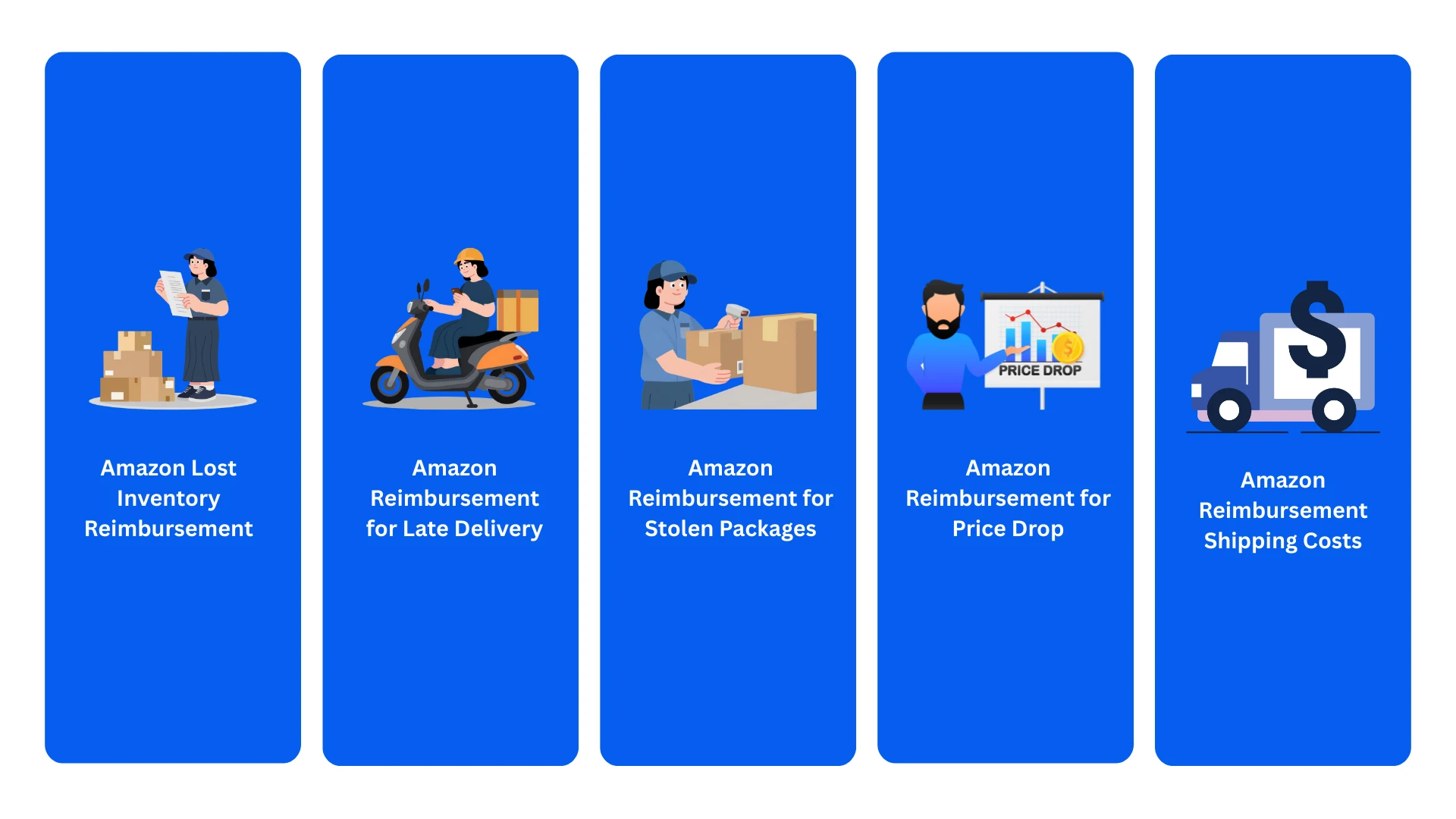
There are multiple reimbursement types, and knowing them will help you spot missing payouts and file the right claim correctly.
Below are the most common Amazon FBA reimbursement types in 2026.
Amazon Lost Inventory Reimbursement
This is the most common reimbursement type for FBA sellers.
Amazon lost inventory reimbursement applies when your products are lost after they arrive at an Amazon fulfillment center or while being transferred between warehouses. This includes items that were checked in but never made available for sale, or inventory that disappeared during internal movements.
Amazon sometimes automatically reimburses these cases, but not always. If the item shows as lost in reports and no reimbursement appears within the allowed time, you must file an Amazon reimbursement claim manually.
Amazon Reimbursement for Late Delivery
Late delivery reimbursement applies when Amazon fails to deliver an order within its promised delivery window.
In these cases, Amazon may refund the customer and reimburse the seller, but only if the delay was clearly caused by Amazon’s fulfillment or shipping process.
This category is usually overlooked because the issue appears as a customer refund, not as an obvious inventory problem. Reviewing your Amazon reimbursement report will help you discover these cases.
Amazon Reimbursement for Stolen Packages
Stolen package reimbursement usually relates to orders marked as delivered but reported missing by the customer. If Amazon determines the issue occurred during fulfillment or last-mile delivery, the seller may be eligible for reimbursement.
However, these cases are not always automatic. Amazon evaluates delivery scans, customer claims, and internal data before making a decision. If the customer is refunded and Amazon does not issue a reimbursement, the seller must investigate and file a claim where eligible.
Amazon Reimbursement for Price Drop
Amazon reimbursement for price drop happens when Amazon refunds a customer due to a pricing or promotional adjustment, and the seller should be compensated for the difference.
These cases are less common than inventory issues, but they do happen, especially during promotions or pricing changes.
They are rarely reimbursed automatically and usually require manual review and proper documentation to support the claim.
Amazon Reimbursement Shipping Costs
Shipping-related reimbursements apply when Amazon charges you incorrectly for fulfillment, removal, or return shipping.
Examples are:
- Overcharged removal fees
- Incorrect weight or dimension calculations
- Shipping charges applied to items that were never shipped
These errors do not always trigger automatic reimbursement. Sellers need to review shipping charges carefully and submit claims when discrepancies appear. Over time, these small errors can add up to meaningful losses if ignored.
The more clearly you understand each category, the easier it becomes to recover what Amazon owes you.
Amazon Reimbursement Audit

So, what is an Amazon Reimbursement Audit? An Amazon reimbursement audit is the process of reviewing your FBA data to find money Amazon owes you but has not paid.
During an audit, you compare:
- Inventory movements versus inventory received
- Customer refunds versus returned items
- Lost or damaged units versus reimbursements issued
- Removal and disposal orders versus inventory returned
Audits are usually done monthly or quarterly to stay within Amazon’s claim windows.
Amazon Reimbursement Report: What to Check
Amazon provides several reports inside Seller Central, but the Amazon reimbursement report is one of the most important.
When reviewing this report, you should look for:
- Lost or damaged inventory with no reimbursement
- Reimbursements issued for lower amounts than expected
- Customer refunds without corresponding inventory returns
- Adjustments that do not clearly explain what happened
The report tells you what Amazon has already paid. Cross-checking this report with inventory and return data is the only way you can discover reimbursement gaps that would otherwise go unnoticed.
Amazon Receipt for Reimbursement (Proof Requirements)
Amazon does not approve claims based on assumptions. Many reimbursement cases require proof, especially when automatic reimbursements do not apply.
An Amazon receipt for reimbursement usually serves as documentation supporting the claim. This can include:
- Proof of inventory ownership or shipment
- Invoices or cost documentation for the affected product
- Screenshots or report references showing the discrepancy
- Order IDs tied to refunds or delivery issues
If Amazon requests proof and you cannot provide it, the claim is very likely to be denied. But if you audit regularly, you’ll recover more money and spend less time arguing with Seller Central support.
How to Get Reimbursed from Amazon (Step-by-Step)
.webp)
To get reimbursed in 2026, you must follow Amazon’s workflow, file within the allowed timeframes, and provide the information Amazon asks for.
Step 1: Identify the Issue Using Amazon Reports
Amazon expects you to review their own data before submitting any claim. This means checking inventory, returns, and adjustments in Seller Central.
You have to review:
- Inventory adjustments
- Customer refunds where inventory was not returned
- Lost or damaged inventory events
- Removal or disposal discrepancies
Amazon does not run this audit for you; you must do it yourself.
Step 2: Confirm the Issue Is Eligible
Before you request reimbursement, Amazon requires that:
- The issue occurred while the item was under Amazon’s control
- Amazon has already completed its internal investigation period
- The claim is submitted within the allowed timeframe
If Amazon is still investigating, the system will not allow you to submit a claim. This is enforced automatically under the current Amazon FBA reimbursement policy.
Step 3: Request Reimbursement in Seller Central
All reimbursement requests must be submitted directly through Seller Central. Amazon does not accept email requests or informal cases.
You submit a request by:
- Opening the affected inventory or order record
- Selecting Request reimbursement
- Choosing the appropriate issue type
- Submitting the request for review
This creates an official Amazon reimbursement claim tied to that specific event.
Step 4: Provide Documentation if Requested
Amazon may ask for proof. When requested, an Amazon receipt for reimbursement or supporting record must be provided.
This can include:
- Cost or invoice documentation
- Shipment or removal references
- Order or inventory IDs shown in reports
If documentation is not provided when requested, Amazon may deny or close the claim.
Automatic vs Manual Reimbursements
Automatic reimbursements usually apply to cases such as inventory that Amazon confirms as lost or damaged after its investigation. These do not require seller action.
Manual reimbursements require you to submit a request. These include many return issues, removal discrepancies, and cases where Amazon’s systems did not trigger an automatic reimbursement.
Because automation does not cover everything, sellers who rely only on automatic reimbursements can miss valid payouts. This is why some brands use an Amazon FBA reimbursement service or an Amazon audit reimbursement service to consistently manage claims.
How to Check Reimbursement in Amazon Seller Central
To track reimbursements, Amazon directs sellers to review their Amazon reimbursement report and related inventory records. This shows:
- Reimbursements already issued
- Adjustment reasons
- Reimbursement amounts and dates
What it does not show is what Amazon missed. That comparison is the seller’s responsibility.
How Long Does It Take to Get Reimbursed from Amazon?
Once a reimbursement request is submitted:
- Amazon reviews the claim internally
- Additional information may be requested
- Approved reimbursements are credited to your seller account
Timelines differ by issue, but most reimbursements are resolved within a few days to a few weeks after submission. Complex cases can take longer.
Best Amazon FBA Reimbursement Service Provider: What to Look For

At some point, most Amazon sellers realize that reimbursements take more time than they should. That is usually when sellers start looking for help, and it can get a little stressful looking for a good service provider.
Here are some things to keep in mind:
- They follow Amazon’s rules closely: Reimbursements only work when claims are filed the way Amazon expects. A good provider understands the Amazon FBA reimbursement policy, respects investigation periods, and avoids risky or aggressive tactics
- They run real reimbursement audits: Recovery starts with a proper Amazon reimbursement audit. That means reviewing inventory movements, customer refunds, returns, and existing reimbursements using Amazon’s own reports
- You can clearly see what is being filed: You should never wonder why a claim exists. Each Amazon reimbursement claim should be tied to a specific SKU, order, or report entry. Transparency makes it easier to trust the process and track results
- They know when documentation is actually needed: Some claims require proof. Others do not. A reliable service knows the difference. When Amazon requests an Amazon receipt for reimbursement or cost documentation, the provider should submit exactly what Amazon needs
- They protect your account long term: Filing too many claims or the wrong ones can create problems later. They should take a careful approach designed to recover what you are owed while keeping your account healthy
Pro Marketer can help with all these. Our team runs structured audits, identifies missed reimbursements, and submits clean, policy-aligned claims on your behalf. You always know what is being filed and why, and nothing is submitted unless it qualifies.
If you are struggling with getting reimbursements, Pro Marketer can help protect your revenue and your account at the same time.
FAQs
1. Does Amazon offer reimbursement?
Yes. Amazon offers reimbursement when it makes a mistake while handling your inventory or orders under Fulfilled by Amazon. This includes issues like lost or damaged inventory, customer refunds without returned items, and certain delivery problems. Reimbursement applies only when the error occurs while the item is under Amazon’s control.
2. How long does Amazon reimbursement take?
It depends on the type of issue. Automatic reimbursements can appear within a few days once Amazon completes its investigation. Manual reimbursement claims usually take anywhere from a few days to a few weeks. More complex cases may take longer, especially if Amazon requests additional documentation.
3. What are the rules for reimbursement?
Reimbursements must follow the Amazon FBA reimbursement policy. The issue must be Amazon’s responsibility, the claim must be submitted within the allowed time window, and the correct claim process must be used inside Seller Central. If a claim is submitted too early, too late, or without proper support, Amazon may deny it.
4. How is Amazon reimbursement calculated?
Amazon typically calculates reimbursement based on the item's estimated cost, not its retail selling price. This may include your product cost minus applicable fees. In some cases, Amazon may request cost documentation before issuing reimbursement, especially under newer reimbursement rules.
5. What is FBA reversed reimbursement?
FBA reversed reimbursement occurs when Amazon initially reimburses a seller but later recovers the item or determines the reimbursement was invalid. When that happens, Amazon reverses the reimbursement and adjusts the amount from the seller’s account. This is why ongoing monitoring and good documentation are important.

.svg)

.avif)

.svg)