.webp)
TABLE OF CONTENTS
WebMCP vs MCP: What's the Difference?
Why WebMCP Is Important for Your Website
How to Implement WebMCP on Your Website


Share via:
Right now, when an AI agent visits a website, it does roughly what a person would do if they couldn't read: it takes screenshots, guesses where to click, and scrapes whatever text it can find from the underlying code. It's slow, unreliable, and a bit absurd, given how capable these models are in every other context.
WebMCP changes that. It gives websites a way to communicate directly with AI agents, telling them exactly what the site can do and how to do it.
Released as an early preview on February 10, 2026, WebMCP is one of the most significant developments in how the web is built, and if you run a website, you must understand what it is and what it means for you.
In this article, we break down what WebMCP is, how it works, how it differs from regular MCP, and how to start implementing it on your website.
What Is The WebMCP Protocol?
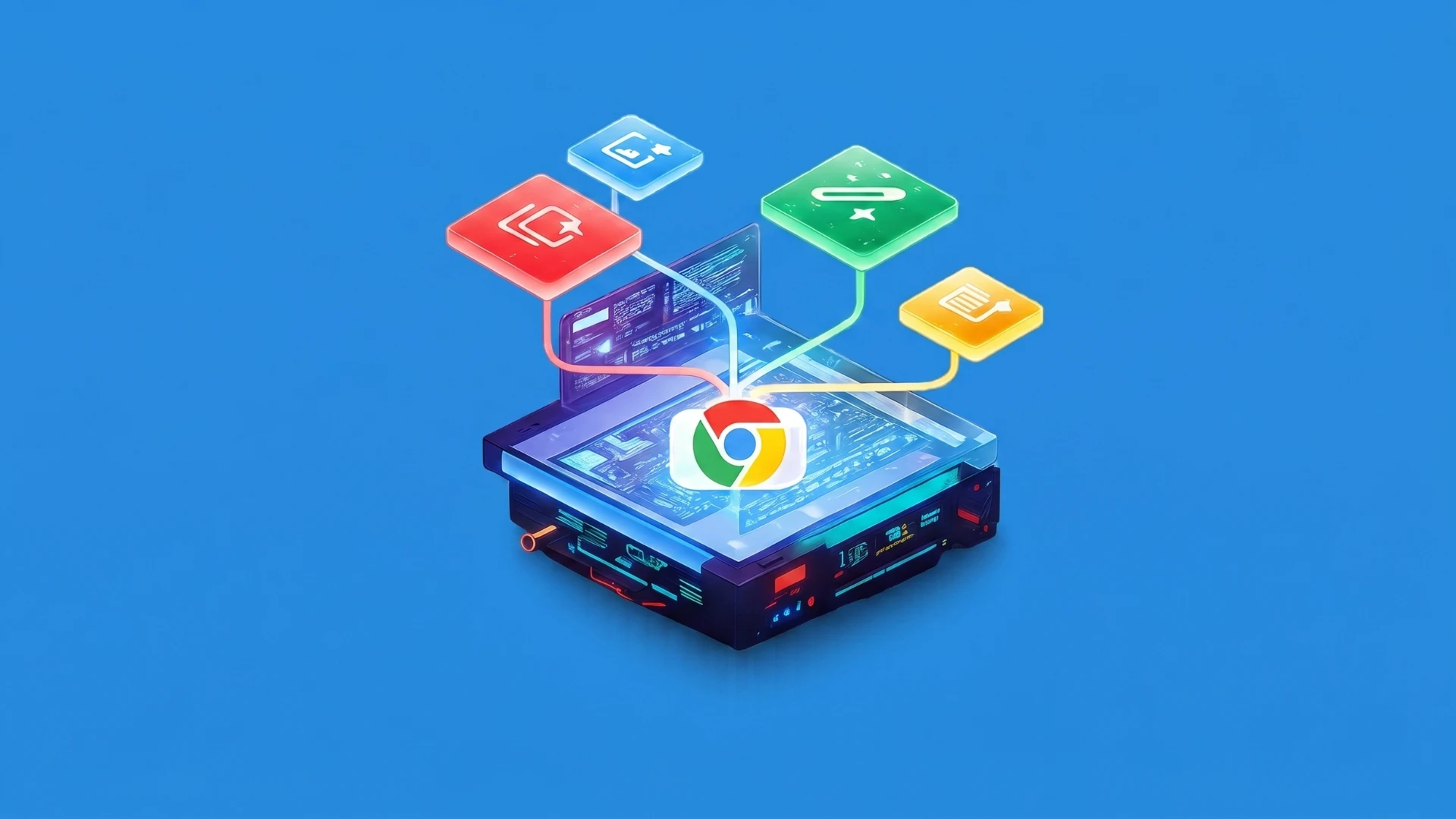
WebMCP stands for Web Model Context Protocol. It's a new browser-native API that lets websites expose their features as structured, callable tools directly to AI agents. It was created by engineers at Google and Microsoft and is being developed under the W3C Web Machine Learning Community Group.
The simplest way to understand it is this. Instead of an AI agent having to figure out how your website works by reading screenshots or parsing your HTML, WebMCP lets your website speak up and say, "here is what I can do, and here is exactly how to ask me to do it."
Rather than leaving agents to guess, you define the tools, the parameters, and the outcomes. The agent calls the tool. The tool executes. It's a direct communication channel between your website and any AI agent that visits it.
How Does WebMCP Work?
Before WebMCP, there were two ways an AI agent could interact with a website. The first was visual, where the agent took a screenshot and tried to figure out what to click or where to go.
The second was semantic, in which the agent parses the underlying code to extract data and trigger events on the page.
Both approaches are slow and unreliable. They break easily when a website's layout changes, and they require the agent to burn through time and processing just to complete a basic task.
WebMCP is a more direct option. A website exposes a set of defined tools. When an agent needs to perform an action, it calls the relevant tool with structured inputs rather than manually navigating the UI.
For example, instead of an agent taking a screenshot of a flight booking page and guessing which field is for the departure city, a WebMCP-enabled site would expose a tool that the agent can call directly with structured data such as origin, destination, date, and number of passengers.
It’s also important to note that WebMCP tools inherit the user's existing browser session. So if a user is already logged in to a website, the WebMCP tools on that page work within the same authenticated session. The agent doesn't need to log in separately. It uses what the user already has.
WebMCP vs MCP: What's the Difference?
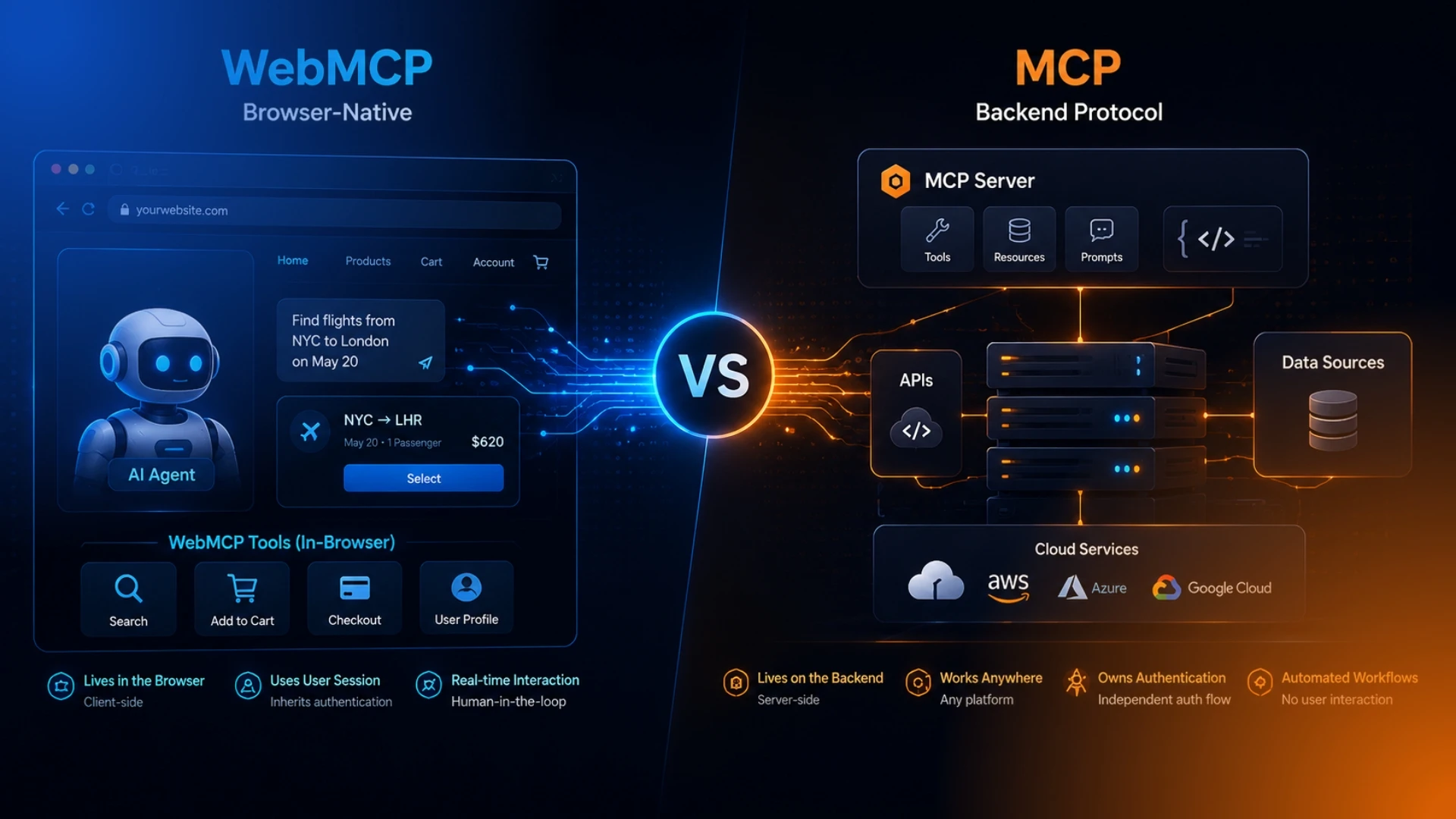
MCP, or Model Context Protocol, is a standard that connects AI agents with external systems, including data sources, tools, and workflows.
It works across platforms, runs on the backend, and is implemented through server-side code. It is not browser-specific.
WebMCP and MCP address different needs. They are not competitors. They complement each other.
.webp)
WebMCP Chrome: Current Status
WebMCP is currently available as an early preview in Chrome only. As of February 2026, you can test it in Chrome 146 Canary by enabling the "WebMCP for testing" flag. It is not yet a broadly supported web standard.
Edge support is expected but hasn't been formally announced. Firefox and Safari haven't indicated plans yet. So for now, WebMCP Chrome is the only environment where you can actively experiment with it.
This means WebMCP should be treated as something to learn and prepare for, rather than a full production dependency. Official browser announcements are expected by mid-to-late 2026.
Why WebMCP Is Important for Your Website

There's something called WebMCP SEO, which is where AI agents are currently browsing websites, filling out forms, booking appointments, searching for products, and completing tasks on behalf of users. The question isn't whether agents will interact with your site. They already are. The question is whether your site is ready for it.
Right now, most websites are not built with browser agents in mind. They're built for human eyes: visual layouts, clickable buttons, and menus.
When an AI agent visits one of these sites, it has to work backwards. It takes screenshots, parses the DOM, and tries to infer everything. That process is slow, unreliable, and breaks every time you update your design.
WebMCP changes your role in that interaction. Instead of being passively scraped, you actively define how agents can work with your site. You expose structured tools for AI that tell agents exactly what actions are available, what inputs they need, and what outcomes to expect.
For ecommerce brands, think about what it means for an AI agent to be able to call a structured tool to search your product catalogue, add an item to cart, or start a checkout, rather than navigate your site like a confused visitor. That's a faster, more reliable, and more conversion-friendly interaction for everyone involved.
How to Implement WebMCP on Your Website
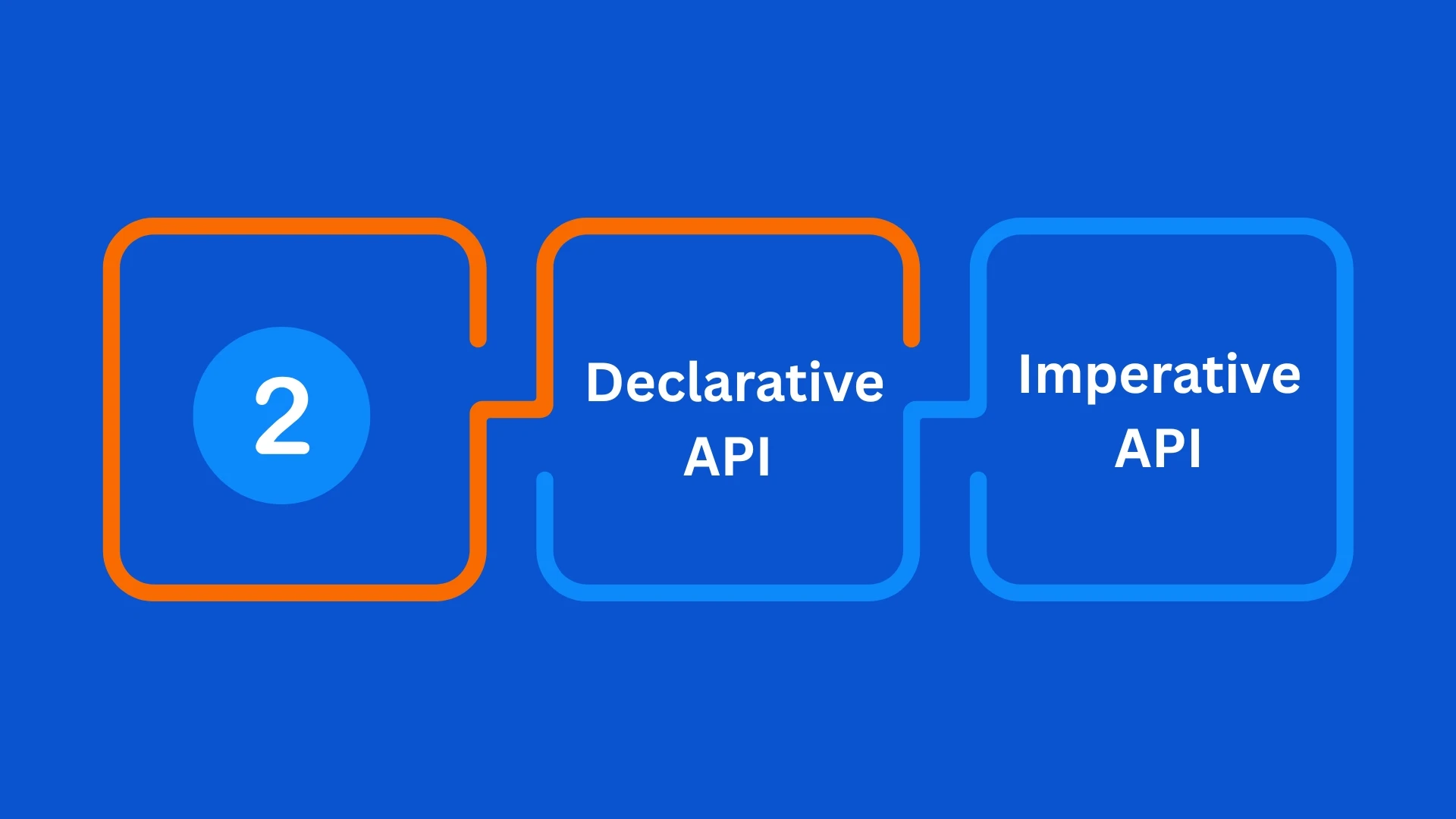
There are two ways to implement WebMCP on your website. Google calls them the Declarative API and the Imperative API.
The Declarative API
The Declarative API is the simpler of the two. It works by adding HTML attributes directly to your existing forms. You don't need to write much new code. You just modify what you already have.
There are two required attributes and one optional one:
- Toolname: Added to a <form> element, this tells the agent what the tool is called. For example, a contact form might use toolname="submit-enquiry"
- Tooldescription: This tells the agent what the tool does. Without this, the form won't be registered as a WebMCP tool
- Toolautosubmit: This is optional. It makes the form submit automatically once the agent has filled it in
A basic example looks like this:
html
<form toolname="search-products" tooldescription="Search the product catalog by keyword">
<input name="query" />
<button type="submit">Search</button>
</form>
That's it. Two attributes, and your form is visible to browser agents as a structured tool.
For many websites, especially those with standard contact, search, or checkout forms, the Declarative API is the fastest path to becoming agent-ready.
The Imperative API
The Imperative API is for more complex, dynamic interactions that the Declarative API can't handle.
It uses JavaScript and the navigator.modelContext.registerTool() method to define structured tools for AI programmatically.
A basic example looks like this:
javascript
navigator.modelContext.registerTool({
name: "add_to_cart",
description: "Add a product to the shopping cart",
inputSchema: {
productId: { type: "string" },
quantity: { type: "number" }
},
execute: async (params) => {
// your existing cart logic here
}
});
The Imperative API gives you full control over what tools you expose, what inputs they accept, and what logic runs when an agent calls them.
For ecommerce brands with complex product catalogues, custom checkout flows, or dynamic pricing, this is the better option.
One important note from Google: it's recommended to register all tools immediately after loading your WebMCP script, rather than dynamically later.
Some AI clients may need to restart to pick up newly registered tools, so having everything defined upfront gives agents the most complete picture of what your site can do.
Getting Started With WebMCP Today
Since WebMCP is currently in early preview, getting started requires a few setup steps:
1. Download Chrome Canary
2. Go to chrome://flags and enable the "WebMCP for testing" flag
3. Install the Chrome extension provided through the early preview program
4. Add a Gemini API key to the extension
5. Start experimenting with the Declarative or Imperative API on your site
You can sign up for Google's Early Preview Program at developer.chrome.com to get access to the full documentation, demos, and updates as the standard evolves.
If you want to experiment with WebMCP without waiting for native browser support, there is also a polyfill available at mcp-b/global that lets you register tools using navigator.modelContext.registerTool() today and works with existing frontend agent frameworks.
Wrapping Up
The agentic web is growing, and the websites that define how agents interact with it will be in a much stronger position than the ones that don't.
For ecommerce brands, faster, more reliable agent interactions mean better user experiences and more conversions. Structured tools for AI mean less guesswork and fewer errors. And being an agent-ready website puts you ahead of brands that are still waiting to see how it plays out.
Need help thinking through how emerging web standards like WebMCP fit into your ecommerce growth strategy? Get in touch with Pro Marketer and let's talk.
FAQs
1. What is WebMCP in simple terms?
WebMCP is a way for websites to communicate directly with AI agents. Instead of an AI agent having to take screenshots and guess how your website works, WebMCP lets your website define exactly what it can do and how agents should interact with it. It makes the experience faster, more reliable, and more useful for everyone involved.
2. What does WebMCP stand for?
WebMCP stands for Web Model Context Protocol. It is a proposed browser standard developed by engineers at Google and Microsoft under the W3C Web Machine Learning Community Group. It was released as an early preview on February 10, 2026.
3. Is WebMCP the same as MCP?
No. WebMCP and MCP are related, but they serve different purposes. MCP, or Model Context Protocol, connects AI agents with external tools and services on the backend and works across any platform. WebMCP is browser-specific and only activates when a user is on your website. They complement each other rather than replace each other. Think of MCP as a call center that's available anytime, and WebMCP as an in-store expert who's only there when the customer is actually in the building.
4. How do AI agents use WebMCP?
When a browser agent visits a WebMCP-enabled website, it can see the structured tools the website has registered. Instead of navigating the UI like a human would, the agent calls the relevant tool directly with the required inputs. For example, rather than clicking through a search form manually, the agent calls a search tool with structured parameters and gets a reliable result instantly. The interaction is faster, more accurate, and doesn't break when the website's design changes.
5. How do I make my website agent-ready with WebMCP?
There are two ways to implement WebMCP. The first is the Declarative API, which involves adding two HTML attributes to your existing forms: toolname and tooldescription. This is the simplest route and requires minimal code changes. The second is the Imperative API, which uses JavaScript to register more complex, dynamic tools via navigator.modelContext.registerTool().
To start experimenting today, you need Chrome Canary with the "WebMCP for testing" flag enabled. You can also join Google's Early Preview Program at developer.chrome.com for full documentation and demos.

.svg)

.avif)

.svg)