.webp)
TABLE OF CONTENTS
Why Does Technical SEO Matter in 2026?
How Does Technical SEO Differ from On-Page and Off-Page SEO?
What Controls Search Engine Crawling of Your Site?
Why Are XML Sitemaps Important for Discovery?
So What Makes a Site Architecture SEO-Friendly?
How Can Internal Linking Distribute Page Authority?
What Are Core Web Vitals and How to Measure Them?
How Does Page Speed Impact Rankings and Conversions?
Why Is Mobile-Friendliness Non-Negotiable in 2026?
How Does HTTPS Affect Trust and Rankings?
How Does Structured Data Work?
What Is Hreflang and When Do You Need It?
How to Conduct a Complete Technical SEO Audit?
What Are the Best Free and Paid Technical SEO Tools?


Share via:
Technical SEO is about making sure search engines can find, understand, and trust your website. Without it, even excellent content and strong backlinks won’t perform the way they should.
In this guide, we’ll break down what technical SEO is and how to optimize your site for technical SEO.
What Is Technical SEO?
Technical SEO is the process of improving your website’s technical setup, so search engines can crawl, index, and rank it properly.
Technical SEO answers questions like:
- Can Google access your pages?
- Are the right pages being indexed?
- Does your site load fast on mobile?
- Is your content easy for search engines to understand?
When people ask “what is technical SEO?”, the short answer is: It’s the foundation that allows all other SEO efforts to work.
Why Does Technical SEO Matter in 2026?
Search engines are smarter than they used to be, but they are also less patient. Google expects websites to load quickly, perform well on mobile, and be easy to understand. As we earlier stated, if your site is slow, broken, or confusing, it won’t matter how good your content is. It will struggle to rank.
Think about how people use the internet today. Most users are on their phones. They click a link and expect the page to load right away. If it takes too long, they leave. Google watches this behaviour. When people leave quickly, your rankings drop.
Technical SEO helps prevent this by:
- Making sure pages load quickly
- Making sure the mobile version of your site works properly
- Helping search engines crawl and index the right pages
Modern sites use JavaScript, animations, and heavy design features. These look great, but if they are not set up correctly, search engines may not see the content at all. Technical SEO makes sure your content is visible and readable to search engines, not just users.
For online stores and large websites, technical SEO is even more important. When you have hundreds or thousands of pages, minor technical issues can block important pages from showing up in search results.
How Does Technical SEO Differ from On-Page and Off-Page SEO?
SEO is often talked about as one thing, but it actually has three different parts: technical SEO, on-page SEO, and off-page SEO.
Technical SEO focuses on how your website works. It deals with things like site speed, mobile performance, crawlability, and indexability. It makes sure search engines can access your site and understand it properly.
On-page SEO is about what’s on each page. This includes your content, page titles, headings, keywords, internal links, and images. On-page SEO helps search engines understand what your page is about and when to show it in search results.
Off-page SEO mainly includes backlinks, brand mentions, reviews, and social signals. Off-page SEO helps build trust and authority by showing search engines that other websites consider your site credible.
All three SEO categories work together. But technical SEO comes first. If your site can’t be crawled, loads too slowly, or has indexing issues, strong content and backlinks alone won’t deliver the results you expect.
Crawlability & Indexing
Crawlability is how search engine bots navigate your site. Indexability is the process of determining whether pages are stored and displayed in search results. Both are important parts of technical SEO and should be checked in every technical SEO audit.
What Controls Search Engine Crawling of Your Site?
Search engines crawl your website by following links, reading instructions, and prioritising pages they think are important. Several technical elements control this process, one of which is your internal linking structure.
Pages that are linked properly are easier to crawl. Pages with no outbound links are often skipped.
Other factors that affect crawlability include:
- Page load speed and overall site speed SEO
- Server errors or broken links
- Duplicate URLs without canonical tags
- Crawl budget limits on large websites
For ecommerce sites, without proper crawl budget management, search engines may waste time crawling low-value pages while ignoring important product or category pages.
How Does Robots.txt Work?
The robots.txt file tells search engines which parts of your site they are allowed to crawl. It sits at the root of your website and acts like a set of traffic rules for search engine bots.
Robots.txt is useful for:
- Blocking admin or private pages
- Preventing crawl waste on low-value URLs
- Managing crawlability on large websites
But robots.txt does not control indexing on its own. If you block an important page by mistake, search engines may never crawl it, which can affect your rankings. This is a common technical SEO issue found during audits.
Why Are XML Sitemaps Important for Discovery?
An XML sitemap is a file that lists the pages you want search engines to find and index. It helps Google discover new pages faster and understand your site structure better.
XML sitemaps are important for:
- New websites with few backlinks
- Large websites and ecommerce stores
- Sites with deep page structures
A good XML sitemap should only include pages that are meant to be indexed. Pages blocked by robots.txt or marked as noindex should not appear in the sitemap.
When you do this, XML sitemaps will improve your indexability, support advanced technical SEO, and reduce the chances of your important pages being missed by search engines.
Let’s now take a look at how to optimize your website for technical SEO.
Site Architecture

Site architecture is how your website is organised and how pages connect to each other. In technical SEO, site architecture affects crawlability, indexability, and how authority flows across your site.
So What Makes a Site Architecture SEO-Friendly?
An SEO-friendly site architecture is simple, logical, and easy to follow. Important pages should be easy to reach in just a few clicks from the homepage.
The major elements of a good site architecture include:
- Clear categories and subcategories
- Short, clean URLs
- Consistent navigation menus
- Logical page hierarchy
This setup helps search engines crawl your site more efficiently and supports better crawl budget management. It also improves page experience signals, since users spend less time searching for information.
For ecommerce websites, we recommend that your category pages link clearly to subcategories and products, thereby supporting your technical SEO.
How Can Internal Linking Distribute Page Authority?
Internal links connect pages within your website. They guide users and pass value from one page to another.
When a high-authority page links to another page, it shares some of its strength. This helps search engines understand your website.
A good internal linking structure:
- Helps search engines crawl deeper pages
- Improves indexability of important URLs
- Supports keyword relevance naturally
- Strengthens pages that need more visibility
Internal links are among the simplest yet most important technical SEO tools, especially when used consistently across content, category pages, and blog posts.
Why Avoid Orphaned Pages?
Orphaned pages are pages with no internal links pointing to them. Search engines often miss these pages or treat them as unimportant.
If an orphaned page exists in your XML sitemap, it will not perform well because it lacks context and internal authority.
Avoid orphaned pages by:
- Linking new pages from relevant content
- Including them in navigation or category pages
- Reviewing internal links regularly
When you do these, you improve crawlability and strengthen your indexability.
Performance Optimization

Performance optimisation will be one of the most important parts of technical SEO in 2026. And one of the best ways to measure your performance is through site speed SEO and Core Web Vitals optimization.
What Are Core Web Vitals and How to Measure Them?
Core Web Vitals are performance metrics Google uses to measure real user experience on a website.
The main Core Web Vitals include:
- Largest Contentful Paint (LCP): How long it takes for the main content on a page to load
- Interaction to Next Paint (INP): How quickly the page responds to user actions
- Cumulative Layout Shift (CLS): How much the page layout moves while loading
You can measure Core Web Vitals using:
- Google Search Console
- Chrome User Experience Report
When you receive low performance scores, it means your website has issues like large images, slow servers, or too much JavaScript. Fixing these problems is an important part of advanced technical SEO.
How Does Page Speed Impact Rankings and Conversions?
Page speed affects both search engines and users. Google uses speed as a ranking factor, especially on mobile, because slow pages lead to poor page experience signals.
From a user perspective, speed directly impacts conversions. If a product page takes too long to load, users abandon it.
Page speed improvements include:
- Optimising images and media files
- Reducing unused JavaScript
- Improving hosting and server response time
- Optimising JavaScript SEO rendering
Faster pages help search engines crawl more efficiently, support better crawl budget management, and keep your users engaged.
User Experience Signals

Search engines don’t just look at keywords anymore. They also look at how people experience your website. If users struggle to read, click, or navigate your pages, your rankings will be affected.
Why Is Mobile-Friendliness Non-Negotiable in 2026?
Most searches now happen on mobile devices. Because of this, Google uses mobile-first indexing, meaning it ranks your site based on the mobile version, not the desktop.
If your mobile site is slow, broken, or hard to use, your rankings will drop, even if the desktop version looks perfect.
Mobile-friendly sites:
- Use responsive design
- Load fast on mobile networks
- Have readable text and clear buttons
- Avoid intrusive pop-ups
Mobile usability also affects Core Web Vitals optimization and site speed SEO. A poor mobile experience leads to higher bounce rates, lower engagement, and lost traffic.
How Does HTTPS Affect Trust and Rankings?
HTTPS keeps data secure between your website and its users. It protects login details, form submissions, and payment information.
Search engines see HTTPS as a trust signal. Websites without HTTPS may show warning messages in browsers, which scares users away and damages your credibility.
- HTTPS is a confirmed ranking factor
- Secure sites build user trust
- Ecommerce and lead forms require HTTPS
Without HTTPS, your page experience signals weaken, thereby dropping your conversions.
Advanced Implementations
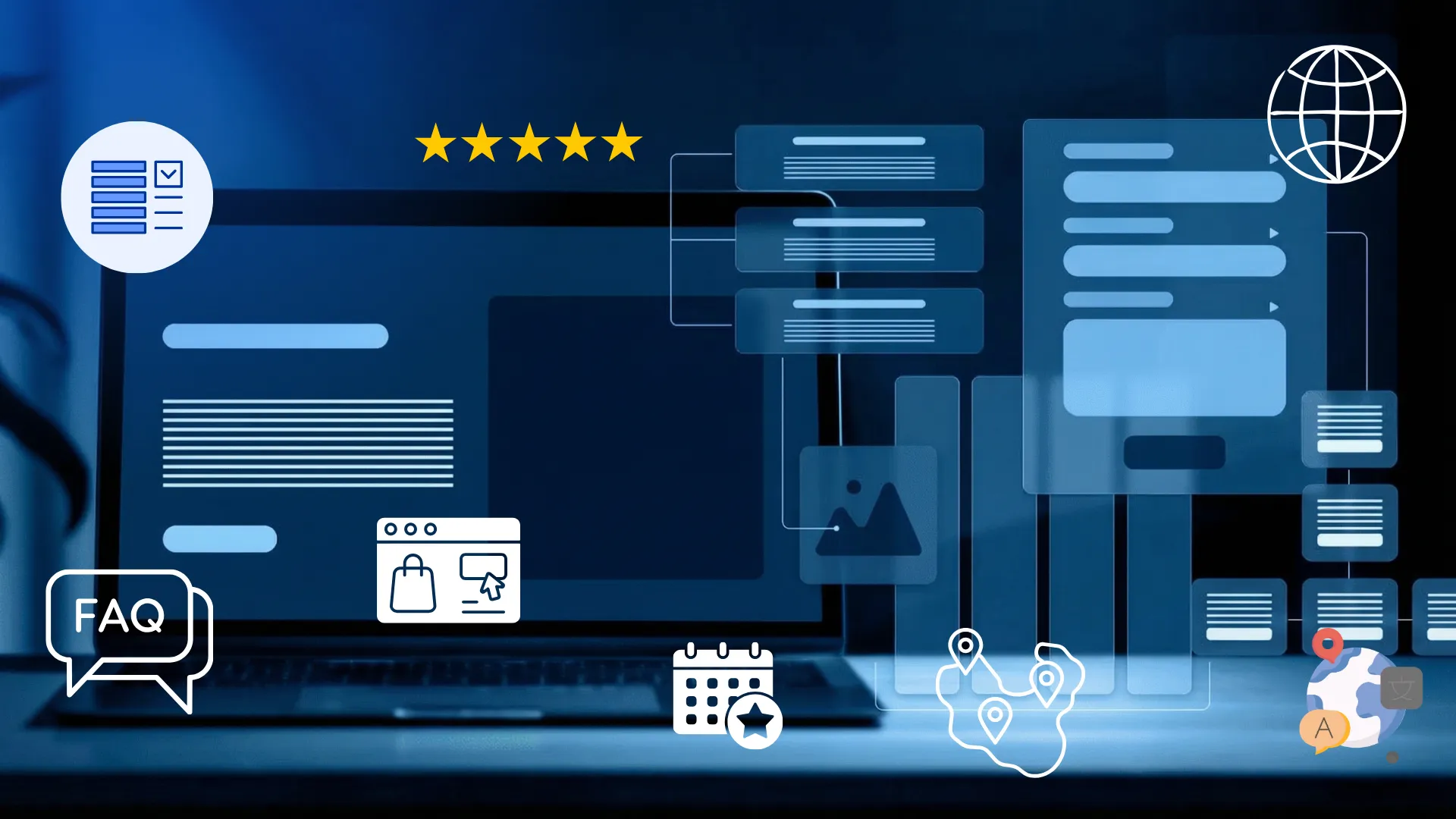
Advanced implementation falls into two major categories: structured data and hreflang.
How Does Structured Data Work?
Structured data, also known as schema markup, helps search engines better understand the content on your pages. Instead of guessing what a page is about, Google gets direct labels for products, reviews, FAQs, events, and more.
When implemented correctly, structured data can unlock structured data-rich snippets, such as:
- Star ratings in search results
- Product prices and availability
- FAQ dropdowns
- Event details
These results don’t always improve rankings, but they can certainly increase your click-through rates. Users are more likely to click a result that shows extra details.
Structured data is especially valuable for technical SEO for ecommerce, where product schema helps search engines understand variations, pricing, and stock status.
What Is Hreflang and When Do You Need It?
Hreflang tells search engines which language or regional version of a page to show users. This is known as hreflang implementation.
You need hreflang if:
- Your site targets multiple countries
- You offer the same content in different languages
- You have region-specific pricing or pages
For example, if you have a US and UK version of the same page, hreflang helps Google show the correct version to each audience. Without it, users may land on the wrong page, leading to poor experience and lower engagement.
Incorrect or missing hreflang tags can confuse search engines and dilute rankings. That’s why hreflang is considered an advanced technical SEO task and should be tested carefully after implementation.
Audits & Tools
Even the best websites develop technical issues over time. Sometimes pages get added, plugins change, and updates can cause site delays. This is why regular audits and the right tools are important for maintaining strong technical SEO.
How to Conduct a Complete Technical SEO Audit?
A technical SEO audit is a complete check of your website’s technical health. It examines how search engines crawl, index, and experience your site.
A complete audit should cover:
- Crawlability and indexability issues
- robots.txt and XML sitemap setup
- Site architecture and internal linking structure
- Page speed SEO and Core Web Vitals optimization
- Mobile-first indexing issues
- Canonical tags and duplicate content
- JavaScript SEO rendering problems
- HTTPS and security checks
- Structured data and schema markup
Start by crawling your site using an audit tool to identify broken links, blocked pages, and duplicate URLs. Then review performance data in Google Search Console to spot indexing and page experience issues.
For large websites, advanced audits may also include log file analysis to understand crawl behaviour and improve crawl budget management.
What Are the Best Free and Paid Technical SEO Tools?
Free technical SEO tools include:
- Google Search Console for indexing and performance insights
- PageSpeed Insights for Core Web Vitals and site speed SEO
- Google Analytics for user behaviour data
Paid technical SEO tools offer deeper analysis, such as:
- Site crawlers for large-scale audits
- Tools for advanced technical SEO checks
- Platforms that track structured data, hreflang errors, and JavaScript rendering
With regular audits, your website can become search-ready in 2026.
Future-Proofing

Future-proofing your website means preparing it for how search engines and AI systems understand, process, and surface information.
AI and large language models rely on clean, structured, and trustworthy data. If your website is messy or hard to interpret, AI systems are less likely to use your content as a source.
Technical SEO helps by:
- Improving crawlability and indexability so AI systems can access your pages
- Using schema markup to define content types and relationships clearly
- Maintaining fast site speed, SEO, and strong page experience signals
- Avoiding duplicate content with proper canonical tags
Well-structured pages with good internal linking are easier for AI systems to understand and summarise. This increases the chance of your content appearing in AI-generated search results, featured answers, and knowledge panels.
In short, strong technical SEO makes your site readable not just for search engines but also for AI systems.
How Often Should You Monitor Technical SEO Metrics?
Technical SEO is not a one-time task. Websites change constantly, and minor issues can turn into big problems if left unchecked.
For most websites:
- Core metrics should be reviewed monthly
- Performance and Core Web Vitals optimization should be checked regularly
- A full technical SEO audit should be done at least once or twice a year
For large or ecommerce websites, monitoring should be more frequent. Changes to inventory, filters, or site structure can quickly affect crawl budget management and indexability.
FAQs
1. What is the difference between technical SEO and SEO?
SEO is the full process of improving search visibility. It includes content creation, link building, and user intent. Technical SEO is just one part of SEO and focuses on how your website is built and how search engines crawl and index it.
2. Is technical SEO difficult?
Basic technical SEO is not difficult. Tasks like submitting an XML sitemap, fixing broken links, or improving page speed can be handled with the right tools. Advanced technical SEO, such as JavaScript rendering, crawl budget management, or log file analysis, usually requires more experience.
3. How long does technical SEO take?
Some fixes can be done in a few days and show results within weeks. Larger changes, especially on big or ecommerce websites, may take several months. The timeline depends on the size of the site and how many issues are found during the technical SEO audit.
4. What does technical SEO include?
Technical SEO includes crawlability, indexability, site architecture, internal linking structure, site speed SEO, Core Web Vitals optimization, mobile-first indexing, HTTPS security, schema markup, canonical tags, and XML sitemap management.
5. Which technical SEO issues are most important?
The most important issues are pages not being indexed, slow site speed, poor mobile performance, broken internal links, duplicate content without canonical tags, and blocked pages in robots.txt. These issues have the biggest impact on rankings and traffic.
6. Why invest in professional technical SEO audit tools?
Professional tools find issues that manual checks often miss. They save time, provide accurate data, and help prioritise fixes. These tools make technical SEO audits faster, more reliable, and more effective.

.svg)

.avif)

.svg)